+1 Speed Keyboard Escape Candy & Chocolate is a Roblox speed simulator by SecretVerse Studio. Every step you take adds to your Speed. You then use that speed to race along a giant keyboard made of candy and chocolate keys. This guide covers how the game works, what to do in your first game, how to grow faster and which mistakes to avoid.
What is the game?
The game is an incremental simulator. That means your numbers keep growing the more you play.
- Every step = +1 Speed. Just walking makes you faster.
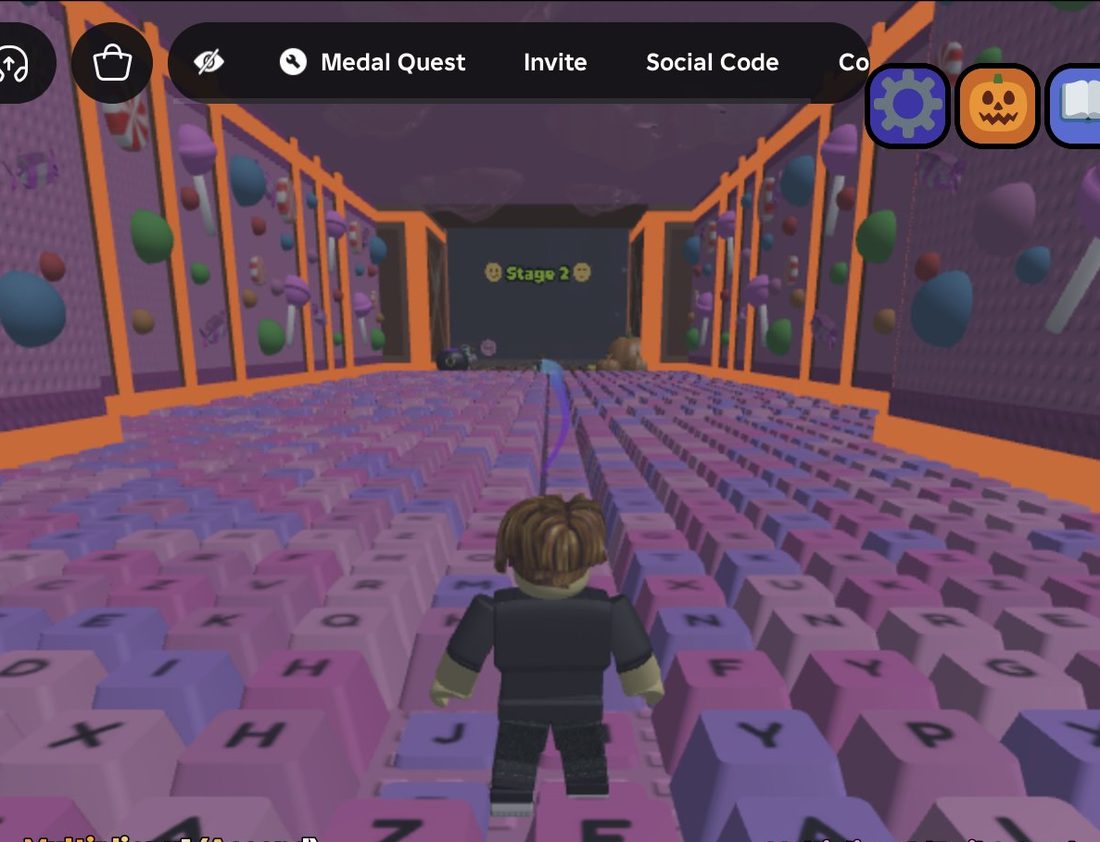
- You run along a corridor that looks like a keyboard, made of candy and chocolate keys.
- The course is split into stages with gates, such as Stage 1 and Stage 2.
- Up to 22 players can share a server, so you can race friends and strangers.
The game also has calm ASMR sounds, like keyboard clicks and soft candy noises.
How the core loop works
The basic loop is simple:
- Walk to raise your Speed stat.
- Run along the keyboard corridor using that speed.
- Reach stage gates to move further through the world.
- Grow your boosts so your speed rises even faster.
Speed climbs quickly at the start. When I began, my Speed reached 460 after about 15 seconds of walking.
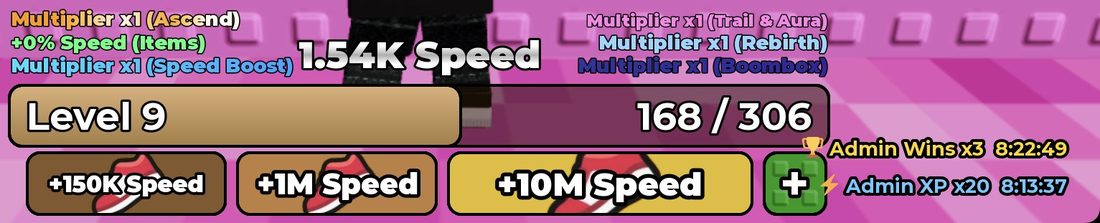
You also have a Level with an XP bar that fills as you play. Your Wins are another key number. The start area has Top Level and Top Wins boards that rank players.
Your first game: step by step
- Join and look around. You start near the Stage 1 gate. Next to it are the Top Level and Top Wins boards.
- Start walking. Hold forward for about 3 seconds at a time along the keyboard corridor.
- Watch your Speed counter. It's on your screen and goes up as you move.
- Stop and check between moves. Short bursts help you stay on the path and not overshoot.
- Look for the turn. If you walk straight ahead, you will hit a pink wall. Turn your camera to find where the path goes next.
- Head for Stage 2. The Stage 2 gate is at the end of the keyboard corridor after Stage 1.
- Check the buttons on your screen. Look around the HUD for other buttons and menus.
How to grow your Speed and Wins faster
Walking is always the base of your speed. On top of that, the game lists several speed multipliers:
- Ascend
- Rebirth
- Trail & Aura
- Boombox
- Speed Boost
- Items
Other ways to grow faster:
- Join the SecretVerse Studio group. The game says this unlocks a free gift in-game.
- Unlock the x2 Wins zone. It needs 500 Wins, and it's marked +50/step. Aim for this once your Wins start to build up.
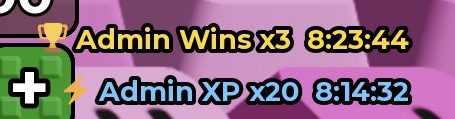
- Play during boost events. Sometimes admin events run, such as Admin Wins x3 and Admin XP x20. They run on a timer (about 8 hours when I saw them), so make the most of them.
- Keep moving. Even short walks add up.
What to buy first
You don't need to buy anything to play. Walking and stages are all you need when you start. Grab the free group gift first.
The game does sell Robux passes. Most are trails, auras and treadmills. A few others:
- Wins Multiplier x2 costs 95 Robux.
- More Equipped Items (20 slots) costs 299 Robux.
- Speed Multiplier tiers exist, but they are not on sale right now.
If you're not sure, just play for free first. You can see how far you get before you decide anything.
Controls
- Move: your normal Roblox movement controls. Hold forward to walk and gain speed.
- Jump: your normal Roblox jump button. You'll need it to run and jump across the keys.
- Camera: turn your camera to find where the path goes, especially at the pink wall.
- Custom Speed: this setting lets you set your walk speed. You can go up to your max speed. Pick a number, then click OK. A lower speed helps when you need careful control.
Common mistakes to avoid
- Holding forward for too long. Use short bursts and check the screen between them. It's easy to miss a turn.
- Running into the pink wall. The path doesn't go straight forever. Look around to find where it turns.
- Going too fast on tricky parts. One wrong move can send you back to the start. Use Custom Speed to slow down if you keep making mistakes.
- Forgetting the free gift. Join the SecretVerse Studio group to claim it.
- Ignoring events. Wins and XP boosts run on a timer, so play while they're on.
Frequently asked questions
How do you get speed in +1 Speed Keyboard Escape Candy & Chocolate?
Just walk. Every step gives you +1 Speed, and multipliers from things like Rebirth, Ascend, trails, auras and items make it rise faster.
Where is the Stage 2 gate?
Stage 2 is at the end of the keyboard corridor after Stage 1. If you hit a pink wall, look around to find where the path turns.
How do you unlock the x2 Wins zone?
The x2 Wins zone needs 500 Wins to unlock. It's marked +50/step.
How do you get the free gift?
Join the SecretVerse Studio group on Roblox. The game says this unlocks a free gift in-game.
Can I slow myself down?
Yes. Use the Custom Speed setting to pick a walk speed up to your max speed, then click OK.
Are there private servers?
No, private servers aren't allowed in this game. You'll play in public servers with up to 22 players.